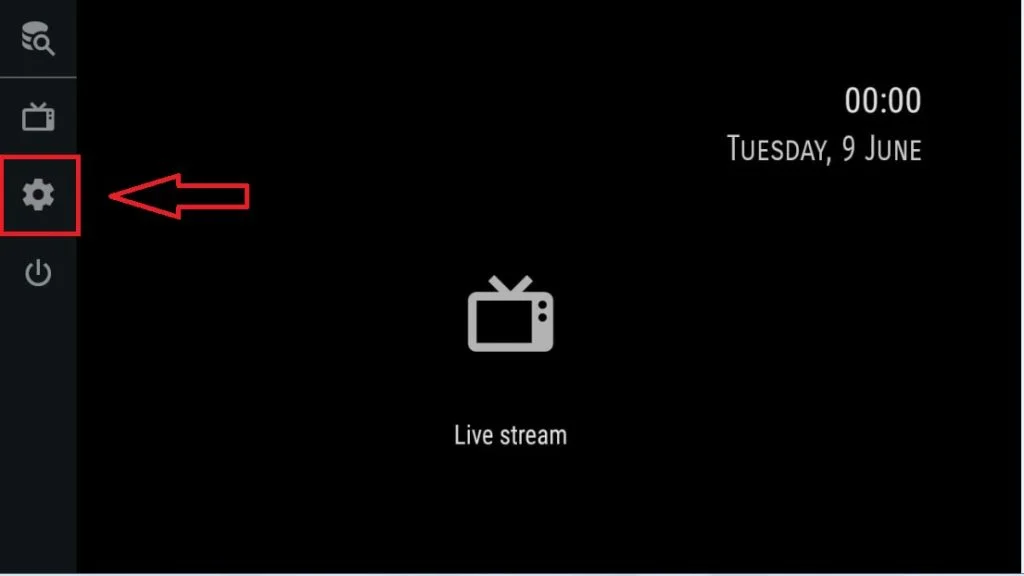
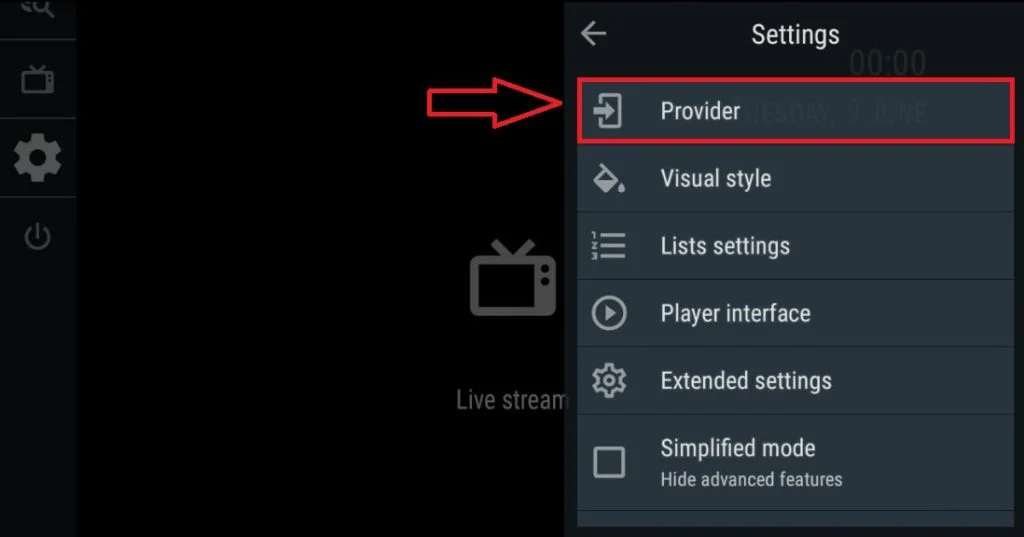
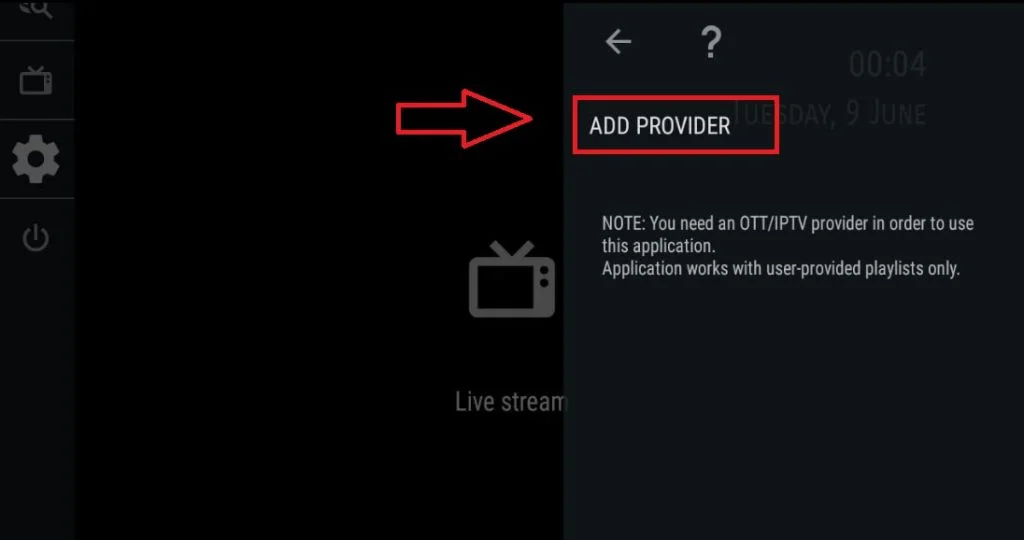
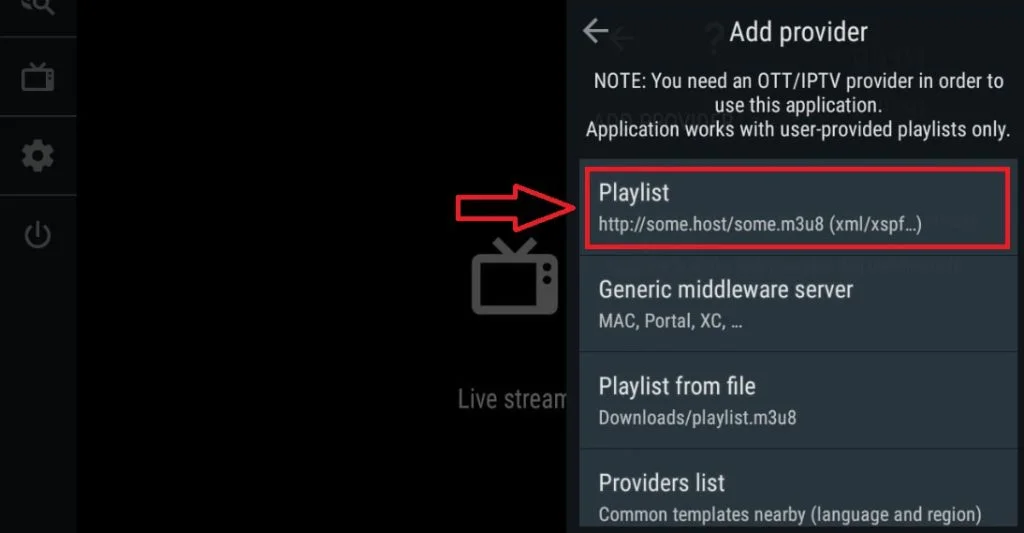
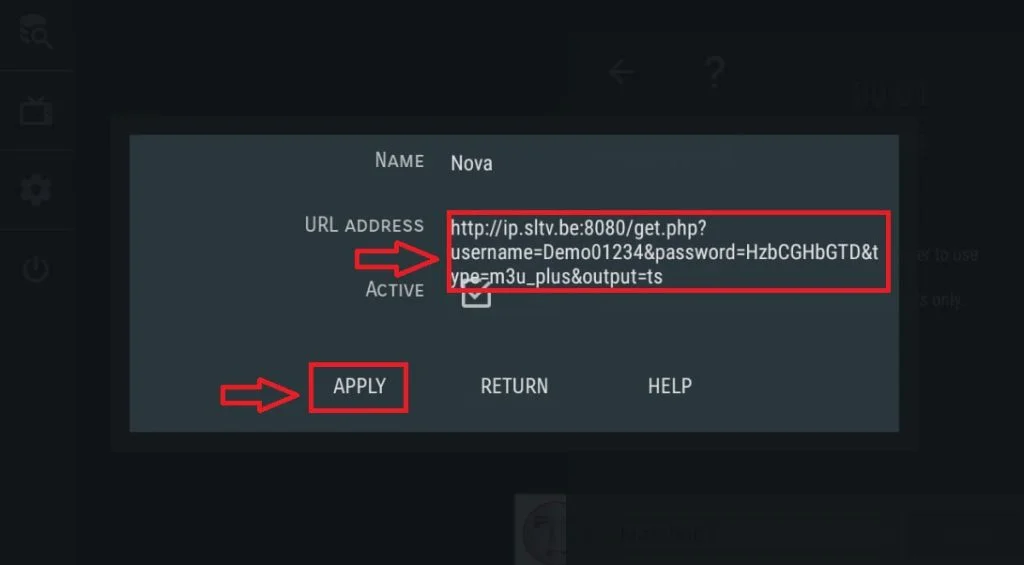
OTT Navigator Step 1= Download the app and open it Step 2= Click on the settings icon shown in the picture Step 2= Select the “Apps” panel. tep 3= Click on the provider text shown in the picture Step 4= Click on the add provider text shown in the picture Step 5= Click on the playlist text shown in the picture Step 6= To the place shown in the picture Paste the m3u plus link in the sent to you Step 7= Click on the apply text shown in the picture